
adidas: Shop Shoes & Clothing
adidasShopping
4.711.85K Reviews
- Version
- 6.14.0
- Installs
- 50.00M
- Age Rating
- Everyone
Screenshots
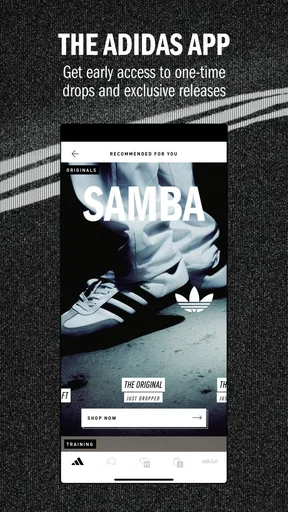
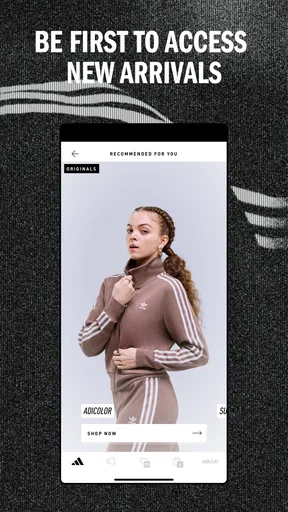
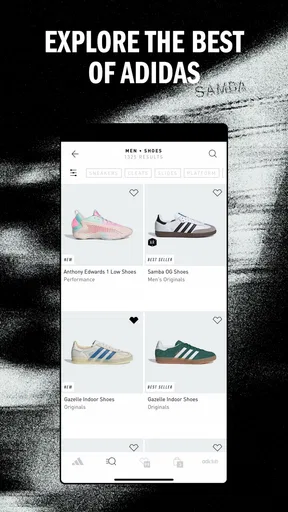
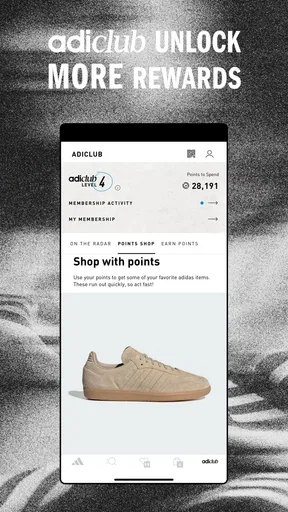
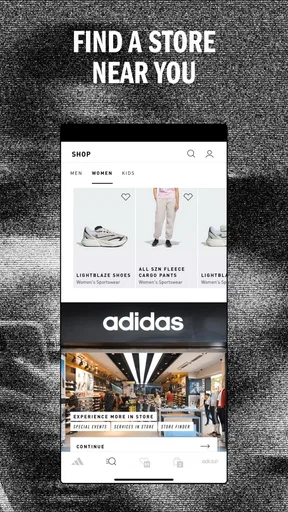
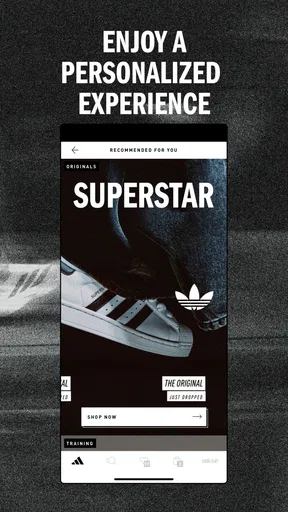
Our Review of adidas: Shop Shoes & Clothing
 Analysis by Appyee
I downloaded adidas: Shop Shoes & Clothing expecting a straightforward way to browse the brand’s range, and that is exactly where it makes the most sense. This is a free shopping app from adidas for finding shoes, sneakers, activewear, and clothing in one place. I found it most useful when I already knew I wanted adidas products and wanted a cleaner route than searching through a general marketplace.
The app is aimed at everyday shoppers rather than people looking for a broad comparison of every sports brand. Its strongest point is focus: the catalog stays centered on adidas, so browsing feels more intentional than opening a large retailer and filtering through unrelated labels. At the same time, that focus is also the main limitation. If your priority is comparing several brands, hunting for the lowest possible price, or checking every seller in one search, a general shopping app may serve you better.
What the free download really offers
The app itself is free to install, which makes trying it low-risk. That is the clearest cost advantage: you can browse the adidas range without paying for access to the application. The products are a separate purchasing decision, so I would not confuse a free download with free clothing or footwear. The useful question is whether the focused shopping experience helps you make a better purchase decision than your usual retailer.
I like that distinction because the app’s value is mainly practical rather than financial. It does not automatically make a product cheaper simply because it is the official shopping destination. Instead, it gives me a direct place to explore the brand’s own selection and decide whether a particular item fits my needs. Anyone installing it should still compare the final purchase terms with other options when price is the deciding factor.
From a compatibility perspective, the app supports devices running iOS 9 or later. It is rated for Everyone, so the presentation is suitable for a general audience. adidas is listed as the developer, which gives the app a clear connection to the products being presented and makes it more relevant to shoppers who prefer dealing with the brand’s own storefront rather than an unknown marketplace seller.
The app has been available since November 5, 2017, and the current version is 6.14.0. Those details matter less than the day-to-day experience, but they do show that this is an established shopping app rather than a temporary campaign page. On the store, it has a 4.7 average from around 648 thousand ratings, with roughly 12 thousand written reviews and over 50 million installs. That level of adoption makes it easier for me to treat the app as a serious shopping channel, while still remembering that popularity does not guarantee every item will suit every shopper.
Browsing feels better when you already have a goal
The best way to use the app is with a rough plan. I would open it when I need running shoes, everyday sneakers, gym clothing, or a replacement for a familiar adidas item. Starting with a purpose keeps the experience focused and prevents endless scrolling through products that look appealing but do not solve a real need.
For example, imagine I notice that my everyday sneakers are worn out before a busy week of commuting. I can use the app to look through adidas footwear instead of visiting a store immediately. I would first narrow my search by the type of shoe I want, then compare the styles that fit my normal clothes and routine. That is more useful than choosing based only on a prominent image, because a fashionable sneaker may not be comfortable enough for long days on foot.
A second practical situation is preparing for a new exercise routine. Rather than buying a complete outfit impulsively, I would use the app to identify the one item I actually need first, such as training shoes or a basic layer. This approach helps control the total spend and makes the free browsing experience genuinely useful even if I decide not to purchase anything during that session.
Where the focused catalog adds value
The main benefit is consistency. When I shop through a general marketplace, product pages, photography, descriptions, and seller information can vary widely. A brand-specific app gives me a more concentrated environment for exploring adidas products. That does not remove the need to read carefully, but it reduces the distraction caused by unrelated brands and duplicate listings.
I also find a dedicated app more helpful for building a shortlist. Instead of opening many browser tabs, I can compare several adidas possibilities in the same shopping context. My preferred workflow is to separate “looks good” from “actually fits my use.” I first collect a few candidates, then ask whether each one suits my activity, wardrobe, and expected frequency of use. This simple pause is one of the best ways to avoid buying an attractive item that will sit unused.
Another non-obvious advantage is that the app can be treated as a reference point even when I ultimately buy elsewhere. If I want to understand how adidas presents a product before checking another retailer, the official app gives me a focused starting place. I would not assume that another seller has the same selection or purchase conditions, but the app can help me identify the kind of shoe or clothing item I want before making a broader comparison.
Small habits that make shopping more sensible
I recommend checking the product details more than once before committing. In fashion shopping, a photo can make two items seem interchangeable when their intended use is different. I look at the item category, think about when I would wear it, and compare it with clothes I already own. This is especially important when shopping for activewear: a piece that works for casual use may not be the right choice for a specific workout.
I also avoid treating the first appealing result as the best result. A useful method is to create a short list of three options, then remove any item that only wins because of its color or styling. The remaining choices are easier to judge on practical grounds. This workflow is particularly valuable in a brand-focused app because the catalog encourages browsing within one design language, where several products may look similar at first glance.
For footwear, I would make the app part of a wider decision rather than the entire decision. If I already know the exact model and size that works for me, direct shopping is convenient. If I am uncertain about fit, I would be more cautious and consider whether trying shoes in person or using a retailer with a familiar return process is more suitable. The app can help me discover options, but a screen cannot replace the confidence of physically trying on a shoe.
Tradeoffs, alternatives, and the people who get the most from it
I find the main tradeoff is straightforward: this app makes adidas shopping more focused, but it cannot answer every question that comes with choosing shoes or clothing. In this section, I weigh that convenience against broader retailers and in-person shopping, then consider which habits help keep browsing purposeful rather than turning it into an impulse purchase.
The official focus is useful, but it narrows comparison
The same brand focus that makes the app tidy can make it limiting. I cannot use it as a neutral comparison tool across adidas, Nike, New Balance, Puma, or smaller specialist labels. If I am shopping for the best running shoe regardless of brand, I would begin with a broader retailer, a specialist sports shop, or a comparison service. The adidas app becomes more compelling after I have decided that adidas is one of the brands I genuinely want to consider.
There is also a risk of being drawn into browsing rather than solving a need. A polished catalog can make a new pair of sneakers feel urgent when my current pair is still perfectly usable. I try to set a purpose before opening the app and a stopping point before browsing. That keeps the experience from turning into an unplanned shopping session.
Another tradeoff is the difference between online convenience and physical certainty. Shopping on a phone is faster than visiting a store, particularly when I already know the product type I want. However, clothing proportions, material feel, and shoe comfort are personal. Someone who regularly struggles with sizing may get more value from a physical shop or a retailer whose fitting and return process they already trust.
Who should install it
I think the app is a good fit for existing adidas customers, people who prefer the brand’s designs, and shoppers who want one focused place for sneakers, shoes, activewear, and clothing. It is also useful for someone planning a purchase gradually: browse today, compare a few options, and return later after deciding what is genuinely needed.
It suits a shopper who values a direct brand experience more than a massive multi-brand catalog. If I am buying a gift for someone who specifically wears adidas, the app can make the discovery stage less chaotic. I can stay within the requested brand instead of sorting through products that the recipient would never want.
The app is less suitable for a bargain hunter whose only goal is the lowest available price. Since the download is free but the merchandise is a separate purchase, I would still compare the complete cost before paying. It is also not my first choice for someone who wants expert advice across many sports brands, detailed independent testing, or a physical fitting experience.
How it compares with ordinary shopping alternatives
Compared with a mobile browser, the dedicated app offers a more concentrated route into adidas shopping. A browser is better when I want to jump between several retailers, search the wider web, or avoid adding another shopping app to my phone. The app is better when I want to stay inside the adidas catalog and browse without unrelated search results taking over.
Compared with a general marketplace, the app trades breadth for focus. A marketplace may make it easier to compare prices, brands, and sellers in one place, but it can also introduce duplicated listings and inconsistent presentation. The adidas app keeps the shopping journey centered on one brand, which I find helpful for discovery but insufficient for independent price comparison.
Compared with visiting an adidas store, the app wins on convenience and private browsing time. I can look at products when it suits me rather than traveling to a location. The store wins when I need to feel materials, compare physical sizes, or ask for help with fit. My choice depends on whether I am in the discovery stage or the confirmation stage of the purchase.
My final buy-or-skip verdict
I would install it if adidas is already one of my preferred brands and I want a free, focused way to browse its footwear and clothing. The app delivers value through organization and convenience, not through a promise that every purchase will be the cheapest or the perfect fit. That makes it worthwhile for planned shopping, product discovery, and building a shortlist before I decide.
I would skip it if I rarely buy adidas, need cross-brand research, or prefer to try every item in person. In those situations, a general retailer, specialist shop, or physical store can answer the more important questions faster. The app is not a replacement for every type of shopping; it is a useful tool for a specific kind of shopping.
Overall, I see adidas: Shop Shoes & Clothing as a sensible companion for brand-focused buyers. Its free access removes the barrier to exploring the catalog, while its narrow focus keeps the experience manageable. My advice is to use it deliberately: decide what you need, compare a small group of suitable products, check the purchase details carefully, and use a broader alternative when price, fit, or cross-brand expertise matters more than adidas convenience.
Verdict
Strengths of adidas: Shop Shoes & Clothing
- Easy browsing by sport, gender, size, and product category.
- Detailed product pages include materials, colors, and available sizes.
- Exclusive launches and member-only offers can add extra value.
- Order tracking keeps delivery updates accessible in one place.
- Saved favorites make it easier to compare products before buying.
Limitations of adidas: Shop Shoes & Clothing
- Some popular sizes and colorways sell out very quickly.
- The app may promote adidas membership and notifications frequently.
- Returns can be less convenient for purchases made across regions.
- Product prices may be higher than comparable non-premium brands.
- Large images and frequent updates can use considerable mobile data.
Other Releases by adidas
View All
CONFIRMED | Sneakers & more
Shopping4.3
Similar Picks in This Category
View All
SHEIN-Shopping Online
Roadget Business PTE. LTD.4.8

Amazon Shopping
Amazon Mobile LLC4.4


Mercado Libre: Compras online
Mercado Libre4.8

Wish: Shop and Save
Wish US Holdings LLC4.7

Alibaba.com - B2B marketplace
Alibaba Mobile4.4
Frequently Asked Questions
What can I buy through the adidas: Shop Shoes & Clothing app?
The adidas app gives you access to a broad selection of adidas products, including running shoes, lifestyle sneakers, sportswear, jackets, accessories, and items from popular collections. Product availability, colors, sizes, and regional releases can vary by country. During testing, the app made it easy to browse categories, search for specific products, view images, and check detailed descriptions before placing an order.
Does the adidas app offer exclusive products or member benefits?
Yes, the app may provide adidas Members with benefits such as early access to selected launches, exclusive products, personalized recommendations, special promotions, and access to loyalty-related features. Some releases can be limited by location, account status, or stock availability. Creating an account is useful if you want to save favorites, manage orders, receive launch notifications, and keep your preferences available across devices.
Can I check product availability and choose the correct size in the app?
The app normally displays available sizes, colors, product specifications, and size guidance on each item page. A size guide can help you compare measurements, although the best fit may differ between shoe models, clothing cuts, and collections. Popular products can sell out quickly, so availability may change while you are browsing. Always review the regional size format and product details before ordering.
How do shipping, returns, and order tracking work with adidas?
Shipping options, delivery estimates, return periods, and eligible return methods depend on your country and the specific order. After purchasing, you can generally review order status and tracking information from your account or confirmation emails. Before checkout, carefully check the delivery address, estimated arrival date, and return conditions. Certain personalized, final-sale, or hygiene-sensitive products may have different return rules.
Is the adidas app free and safe to use?
The adidas app is generally free to download, while you pay only for products and any applicable delivery charges when placing an order. It uses an official adidas shopping environment, but you should still download it from the legitimate Google Play Store or Apple App Store and verify the developer name. Review requested permissions, use a strong password, and keep the app updated for security and performance improvements.
